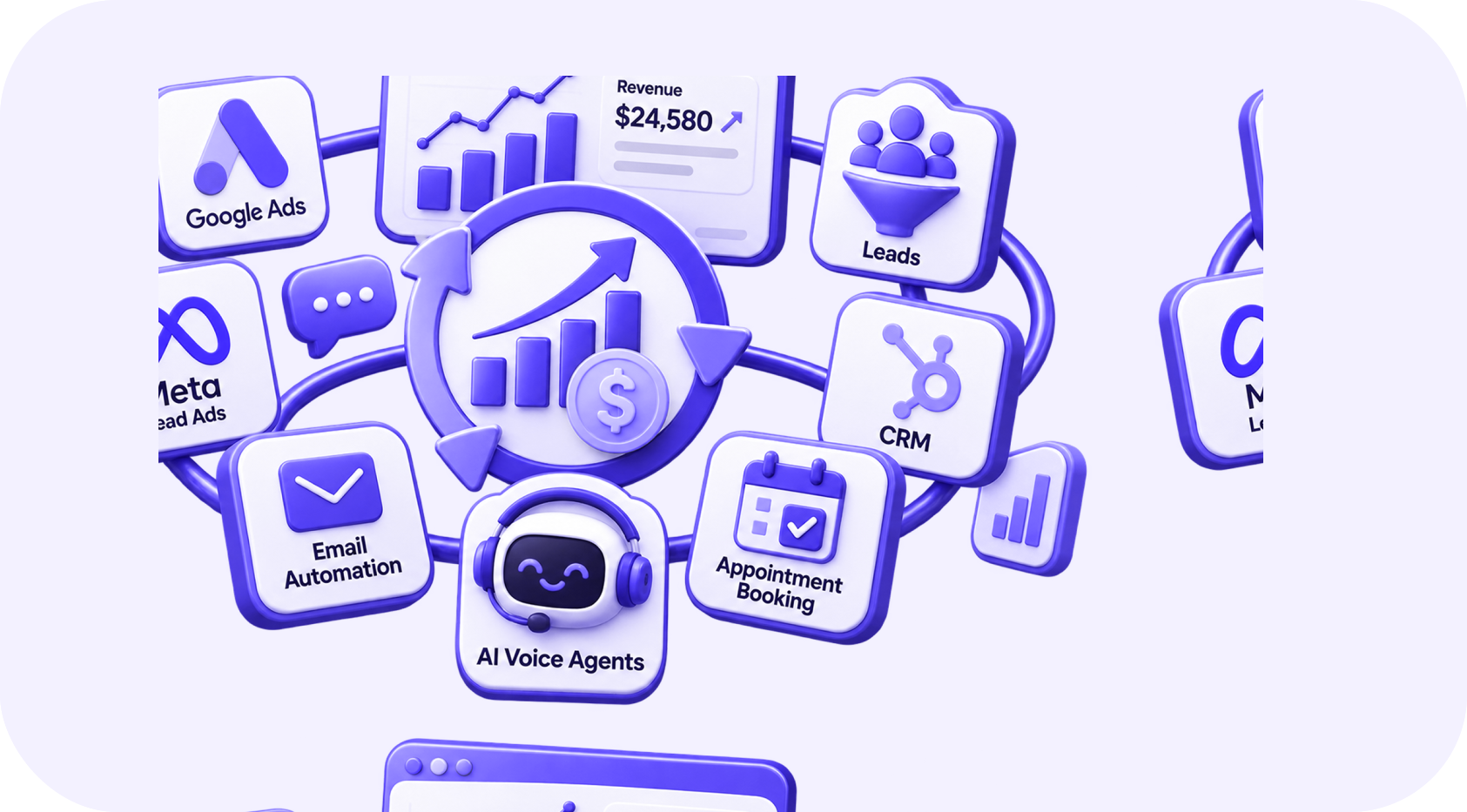
Growing businesses often add software one problem at a time. A form tool captures leads, a CRM stores contacts, another platform sends emails, calendars manage appointments, and spreadsheets fill the gaps.
Each tool may work individually, but the complete process becomes difficult to understand. Employees copy information, leads receive conflicting messages, and management cannot connect marketing spend with revenue.
A connected revenue system gives every platform a clear role and moves trustworthy information between them.
Integration is not about connecting every feature. It is about creating one dependable journey from first interest to customer revenue.
01Signs Your Stack Is Disconnected
- The same contact exists differently in several systems.
- Salespeople do not know which advertisement generated a lead.
- Marketing continues promoting an offer after the person becomes a customer.
- Appointments are not connected to pipeline stages.
- Customer information is copied into delivery tools manually.
- Reports from different platforms show conflicting numbers.
- Nobody knows which system contains the correct value.
- A failed integration can remain unnoticed for days.
These problems become more expensive as lead volume and team size grow.
02Define the Role of Each Platform
Every major data type should have one primary owner.
| Information | Typical source of truth |
|---|---|
| Contact and relationship status | CRM |
| Advertising spend and campaign delivery | Advertising platform |
| Marketing consent and subscriptions | CRM or marketing platform with clear synchronization |
| Appointment availability | Calendar or scheduling platform |
| Proposal and deal status | CRM or sales platform |
| Payment and invoice status | Billing or accounting system |
| Product usage | Product database or analytics platform |
Other systems may receive copies, but they should not compete to control the same value without rules.
03Map the Revenue Journey
Attraction
Google Ads, Meta Ads, search, referrals, email, and content bring potential customers to the business.
Capture
Forms, calls, chat, or direct messages collect the inquiry and its source information.
Qualification
The system or team confirms fit, need, location, timing, and other business rules.
Nurturing and follow-up
Relevant communication helps the lead take the next step while personal tasks keep sales involved.
Appointment or sales activity
The calendar and CRM record booking, attendance, notes, and outcome.
Proposal and decision
The opportunity moves through a clear pipeline with an owner and next action.
Customer onboarding
Approved sales information reaches delivery, support, and billing.
Retention and growth
Customer activity, service milestones, and renewal dates create appropriate actions.
04Connect Systems Through Events
A stable integration responds to meaningful events rather than moving every piece of data continuously.
Examples include:
- Lead submitted
- Contact qualified
- Appointment booked
- Appointment completed
- Proposal accepted
- Payment received
- Customer onboarding started
- Subscription cancelled
For each event, define the source, required data, destination, action, retry behavior, and owner.
05Prevent Duplicate and Conflicting Data
Use stable identifiers where possible. Email addresses and phone numbers can change or be shared, so they should not always be the only identity rule.
Establish which system may update each field. If the CRM and email platform both change lifecycle status, the integration may create a loop or overwrite accurate information.
Add timestamps and source labels to important updates. This makes errors easier to investigate.
06Separate Operational and Marketing Messages
Operational communication includes booking confirmations, receipts, service updates, and security notices. Marketing communication promotes products or services.
They may use connected information, but they have different purposes and consent requirements. A person who leaves a marketing list may still need an essential appointment confirmation.
Design suppression and subscription rules across the complete stack, not inside only one email tool.
07Build Useful Attribution
Preserve the original lead source and important campaign details when the contact enters the system. Also record later interactions when they help explain the journey.
The CRM should connect sources with:
- Valid leads
- Qualified opportunities
- Appointments
- Proposals
- Closed customers
- Revenue
This allows management to compare marketing activity with business outcomes instead of relying on platform-reported leads alone.
08Add Monitoring and Recovery
Integrations fail. Tokens expire, APIs change, fields are removed, and data arrives in unexpected formats. A production system needs:
- Error logging
- Automatic retry for temporary failures
- Alerts for repeated failures
- A queue for records needing review
- Idempotency protection against duplicate actions
- Documentation and workflow ownership
- Regular test submissions
Silent failure is more dangerous than visible failure because the team continues trusting incomplete data.
09Avoid Connecting Everything at Once
Begin with the process that most directly affects revenue. For many businesses, this is the path from a new paid-ad lead to a qualified appointment.
Map the current process, remove unnecessary steps, select the source of truth, and connect only the required fields. After the first journey works reliably, expand into onboarding, retention, and deeper reporting.
10Measure the Result
Look for improvements in:
- Lead response time
- Manual data entry
- Duplicate records
- Follow-up completion
- Booking and show rates
- Pipeline accuracy
- Time required to produce reports
- Number and duration of integration failures
- Revenue visibility by source
The system should make work easier for employees as well as improve management reporting.
11Build an Operating System for Growth
The goal is not to force every department into one software product. Specialist tools can remain valuable. The goal is to connect them around clear ownership, dependable events, and a shared customer journey.
When the stack works as one revenue system, the business can respond faster, automate confidently, and make decisions using information everyone trusts.
Written by
The InvexTech Team
We design and build AI, CRM and software systems for growing businesses, and write about what we learn doing it.